

PowerEmu
Most PowerPC emulators hand Mac OS X a plain framebuffer and let the processor draw every pixel. You get no Quartz Extreme, no games, and a desktop that drags. PowerEmu emulates a real ATI Radeon 9000 instead and sends the 3D to Metal on your Mac’s own graphics chip. Tiger and Leopard both run. You get up to two G4s, up to 256MB of video memory, Classic for your Mac OS 9 software, and Warcraft III at about 30fps on high at 1680×1050. You can also install onto a real hard drive and put it back in the Mac it came out of.
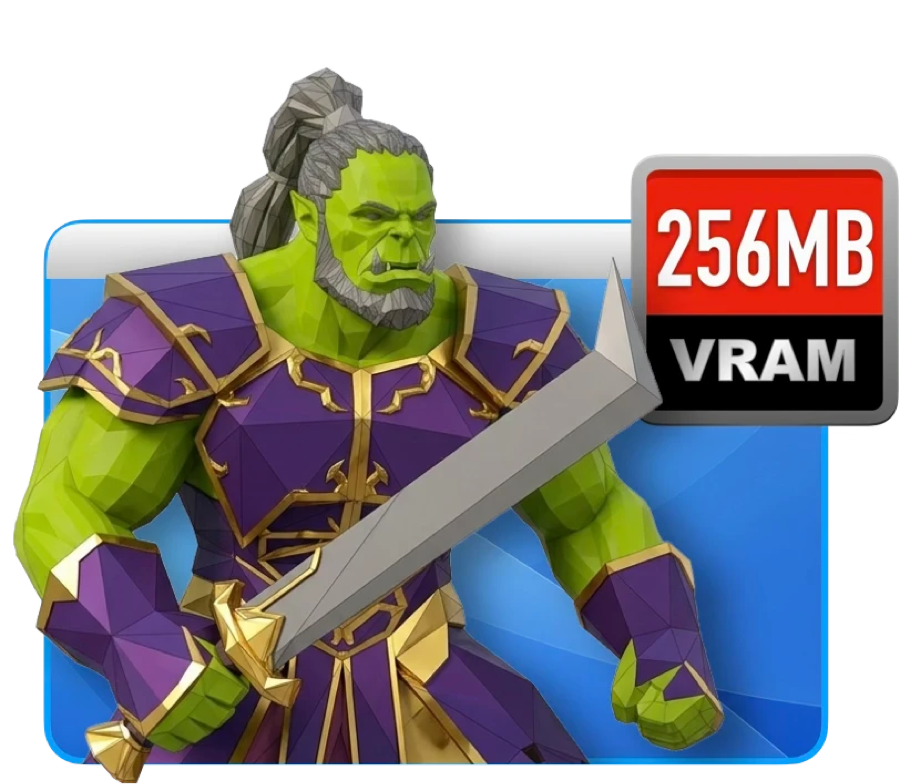
A real graphics card
This is the part that took the longest. PowerEmu emulates an ATI Radeon 9000, which means Mac OS X finds the card it already has drivers for, loads them, and switches Quartz Extreme on by itself. Nothing is patched and no system files are touched.
Pick 64, 128 or 256MB of video memory. Warcraft III runs at about 30fps on high at 1680×1050. For comparison, the same game on plain QEMU gets four or five.
Two processors
Apple sold dual G4s, so PowerEmu does too. Give a virtual Mac two of them and Mac OS X spreads the work the way it always did, keeps the interface responsive while something heavy runs, and shows both of them in About This Mac.
They run at full speed in the background, too. macOS likes to push a quiet app onto the efficiency cores, so PowerEmu tells it not to.
Real hard drives
PowerEmu will boot from and install onto an actual hard drive plugged into your modern Mac. Not a disk image. The disk.
If you have a drive from a G4 that died, put it in an enclosure and read it here, with Mac OS X doing the reading and old formats and resource forks intact. It works the other way too: build a fresh Tiger or Leopard system on a new drive, put the drive in the real Mac, and turn it on.
Harmony
Two Macs on one screen shouldn’t feel like two computers. Copy in Tiger and paste in macOS, or the other way round. Drag files across. Share a folder and it shows up as a volume. The clock stays right. Shut Down actually shuts down. The pointer moves in and out of the window without being captured.
It also lends the old system your internet connection, which is the bit I didn’t expect to need. Mail on Tiger can sign in to iCloud or Gmail again, and web pages arrive already decrypted and resized so the guest can cope with them.
PowerEmu is built on QEMU, which already knows how to pretend to be a Power Mac. On its own, though, it stops a long way short of usable. Here’s what changed.
| Plain QEMU | PowerEmu |
|---|---|
| A dumb framebuffer. Mac OS X draws every window itself, on the CPU. | An emulated Radeon 9000 that Mac OS X’s own ATI drivers bind to, unmodified. |
| No 3D at all, so games and screen savers either crawl or refuse to launch. | 3D commands go to Metal on your real GPU. Warcraft III runs around 30 fps on high. |
| Quartz Extreme stays off, because Mac OS X looks for a real card and doesn’t find one. | It finds one. The compositor turns on and windows move like they should. |
| The pointer smears trails across OpenGL windows. | The host draws the cursor, so it stays clean. |
| A short list of old resolutions, none of them the shape of a modern display. | Modes that match your panel, plus true full screen including the notch. |
| Audio crackles and cuts out constantly. | Paced in real time, which fixed the dropouts. Some distortion is still being chased. |
| Plug in a USB device at the wrong moment and the whole thing wedges. | The USB controller drops missed frames instead of livelocking. It keeps going. |
| Click another window and macOS quietly parks it on the efficiency cores. | It tells macOS it’s busy, so it keeps running at full tilt in the background. |
| Stock settings that suit PowerPC code badly, so everything is slower than it needs to be. | Retuned emulation internals. One guest benchmark went from 9–11 seconds to about 2. |
| No link to the host: no clipboard, no shared folders, no clock sync. | All three, plus a real Shut Down instead of yanking the virtual power cable. |
| A second Dock icon and no way to manage more than one machine. | One app, one icon, and a library of VMs with their own disks and settings. |
- Your Mac
- An Apple silicon Mac. The renderer is Metal, so this is not optional
- macOS
- macOS 14 Sonoma or later — what the app is built against
- Processors
- One G4 as standard, or two on the experimental emulator build, which ships alongside the standard one
- Memory
- Whatever you give the virtual Mac, 2 GB by default, on top of your own
- Storage
- Room for a guest disk. A working Tiger install runs to tens of gigabytes once you fill it
- Video memory
- 64, 128 or 256 MB, your choice, inside the virtual Mac
- Guest system
- Mac OS X 10.4 Tiger or 10.5 Leopard, installed by PowerEmu from your own disc
- You supply
- A Tiger or Leopard install disc, or a disk image you already have. Apple’s install media does not ship with PowerEmu
- Price
- Free. GPL-2.0-or-later, like QEMU underneath it
Graphics
- An emulated ATI Radeon 9000 (RV280/R200) —
ppc-mac-gpu, with an MMIO register set, a PM4 command processor and ring buffer, a 2D engine (fills, blits, host data, clipping) and AGP/GART address translation. Mac OS X’s own ATI kexts bind to it unmodified. - A Metal renderer for the R200 3D pipeline. Draw packets go straight to Metal: hardware T&L (model-view-projection, lighting, spot lights and attenuation, texture matrices, fog), viewport and scissor, R200 texture combiners, alpha test, blending done in-shader through framebuffer fetch, plane masks, depth and stencil. Textures in ARGB8888, RGBA/ABGR8888, RGB565, ARGB1555, ARGB4444, I8, AI88, DXT1/3/5 and YUV 4:2:2, resident in VRAM or fetched over AGP. It renders into VRAM through linear Metal texture views — no shadow copies.
- Quartz Extreme. The uni-north host bridge gets an AGP capability and a working
GART, so Apple’s
AppleMacRiscAGPdrives the bus, the Radeon driver builds its AGP GART and reportsAccelCaps = 1, and WindowServer switches on the OpenGL compositor. - A hardware cursor. A patched QEMU VGA NDRV reports cursor support and hands the image and position to the GPU model, which draws it on the host — fixing the stale save-under that left cursor-shaped notches over OpenGL windows.
- Host-shaped display modes. The device’s EDID (Established Timings III) and the patched NDRV’s mode table add 1440×932, 1280×828, 1152×746 and 1680×1088, plus below-the-notch variants. Full-panel fullscreen covers the whole display including the notch strip.
- 64, 128 or 256 MB of VRAM, behind a 1 GB uni-north PCI window.
Sound, input and stability
- Screamer audio pulls DMA at the sample rate from a 1 ms virtual-clock timer into a 186 ms ring; the position register advances with it and a 40 ms jitter buffer fronts the host backend. A four-second 1 kHz capture went from 10–20 dropouts to zero.
- Seamless pointer via a USB tablet taking absolute positions; captured mode remains for games.
- OHCI bounds transfer descriptors per endpoint per frame and drops missed frames rather than replaying them, which used to livelock the emulator under host load.
Speed
- Host scheduling. An
NSActivityUserInitiated | LatencyCriticalassertion plusQOS_CLASS_USER_INTERACTIVEon the TCG vCPU threads stops App Nap exiling the emulator to the efficiency cores. A guest benchmark loop dropped from 9–11 s to 3.4 s on that change alone. - TCG: a raised softmmu TLB floor (1024 entries) and a 64K-entry TB jump cache
retired by a generation counter, so a flush stays O(1) — a game covers 100k+
translation blocks and every PowerPC
blris an indirect branch. - target/ppc:
lmw/stmwexpanded inline instead of a helper thatprobe_accesses the range, and a host-FPU fast path for A-form arithmetic when FPSCR is RN with no enables and no NaNs. - GPU batching: conflicting batches ordered on the GPU with shared events rather
than
waitUntilCompletedon the vCPU thread, hybrid fences, an AGP/GART page-to-host-pointer cache, and draw vertices bump-allocated from a recycled 8 MB buffer. - Net result: benchmark loop 9–11 s → 1.95 s. Warcraft III went from 4–5 fps to around 30 fps on all-high settings at 1680×1050.
The app and the guest
- SwiftUI app driving QEMU over QMP. VMs are
.poweremupackages; importing disks and ROMs uses APFS clones. The guest screen is drawn inside the app through apoweremu-displayobject over a Unix socket with shared memory and damage rectangles, so QEMU isn’t a second Dock icon. - PowerEmu Tools — a guest agent for 10.4+ PPC, installed per user with no
administrator password: clipboard both ways, shutdown and restart through loginwindow
(
kAEShutDown/kAERestart), and an optional root clock daemon that steps errors over 1 s and slews smaller ones withadjtime. - Shared folders over a WebDAV server implementing enough of RFC 4918 for
Tiger’s
webdavfs, on a per-VM Unix socket so no TCP port is opened. - Service Hub: a mail proxy (the guest authenticates locally; PowerEmu does
implicit TLS or STARTTLS to iCloud, Gmail, Yahoo or Fastmail with an app password) and a
Web Accelerator on
10.0.2.100:7780doing TLS 1.3 and HTTP/2, WebP/AVIF/HEIC transcoding, image downscaling and 204s for trackers. - Built on QEMU 10.0.2 as patched by UTM. GPL-2.0-or-later.
Here’s what’s coming, roughly in order of how big a job each one is. The small stuff near the top, the things that will take months at the bottom.
- Disk Copy images, and a proper test pass. Convert Disk Copy images straight to virtual disks, and give Shuriken Tiger and Sorbet Leopard the testing they deserve rather than the testing they’ve had.
- Floppy and Zip drives. Iomega Zip disks and floppies, attached to the guest like any other drive.
- Graphics fixes for Leopard. Leopard runs, but it hasn’t had anything like the time on the bench that Tiger has, and it shows in places.
- Harmony, faster. Clipboard, drag and drop and shared folders all work. They could be quicker.
- Everything else, faster. General speed work across the emulator. There’s always more here.
- Two monitors in Harmony. Run the guest across a second display instead of one window.
- The ATI 8500 family, up to the 9800 Pro. A more capable card than the 9000, which is what Aperture and Final Cut Studio want before they’ll run. This is the one that unlocks the pro apps.
- Deeper 3D. More vertex and texture work in the renderer, enough that something like Halo CE draws correctly instead of nearly.
- An iPad version. The biggest one on the list by some distance, and the least certain.
Want a say in the order?
This is roughly smallest job to biggest, which isn’t the same as most useful first. If you’d rather something moved up, donate at the producer level and say so — argue for something on the list, or for something that isn’t on it at all. I read all of them, and the people funding the work get the loudest voice in what order it happens.
Alpha, and still moving. Free and GPL, always.
The Garden
The Macintosh Garden has thousands of old Mac programs and games archived, and getting at them from the Mac they were written for has always been a pain. The Garden is an app store for Tiger and Leopard that does the whole job: browse, search and filter, read the reviews, then press Get once and it downloads, checks the file, unpacks whatever strange 1997 archive it came in, works out which file is actually the program, and installs it. It also tells you up front whether the thing will run on your Mac.
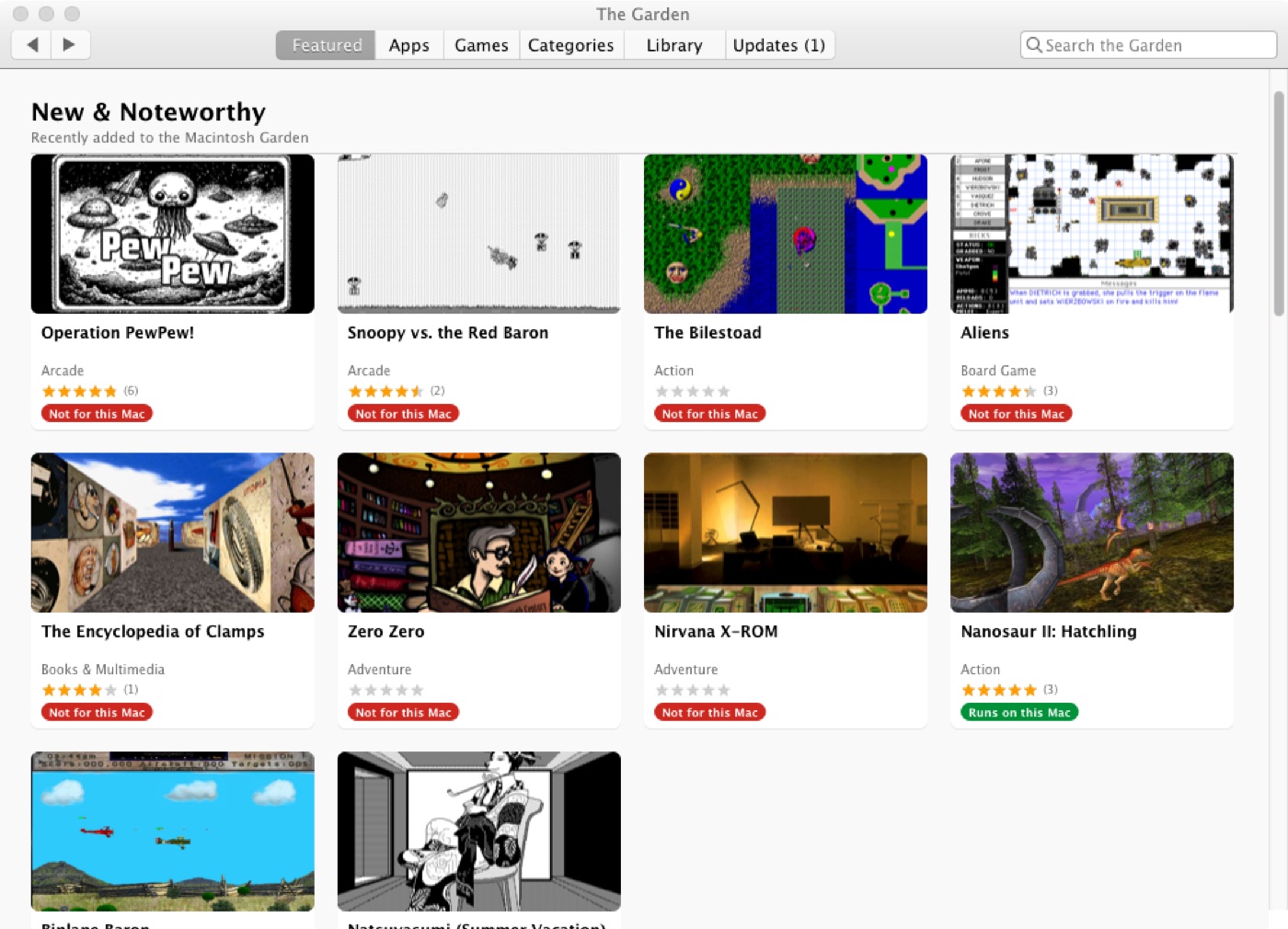
Browse it like a store
Featured on the front with New & Noteworthy from the site’s own feed, then Apps and Games A–Z, Categories, search and filters. It’s the same archive, just arranged so you can wander through it.
Pages you’ve already looked at stay readable when the network drops, so going back to something costs nothing. And it’s a native app — one universal binary for PowerPC and Intel, fine in 256MB — running on the old Mac itself.
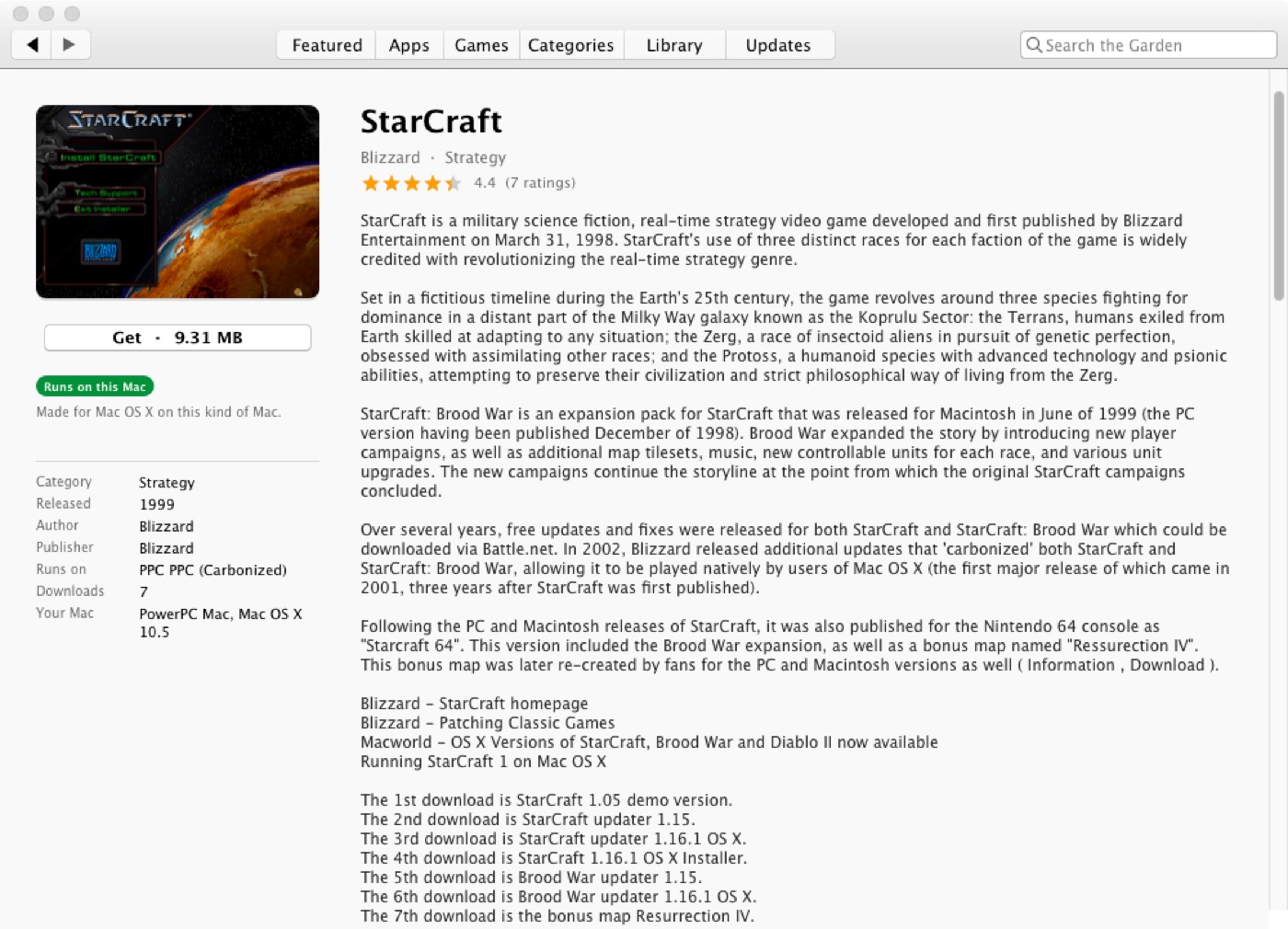
See what you’re getting
Item pages have screenshots, the description, the rating, and the reviews people have left over the years. You get to look before you commit.
Every download also gets a badge worked out for the Mac you’re actually on: compatible with Mac OS X, via Rosetta, with Classic, or not at all. Compatible means the processor and the system version line up, which isn’t the same as promising it will run well — a G3 is “compatible” with things it has no hope of. You can filter the listings by badge, too. Get is a pull-down as well as a button, so if you want a different file the menu lists all of them with sizes and what they run on. Beats downloading something over a slow link to find out it was never going to work.
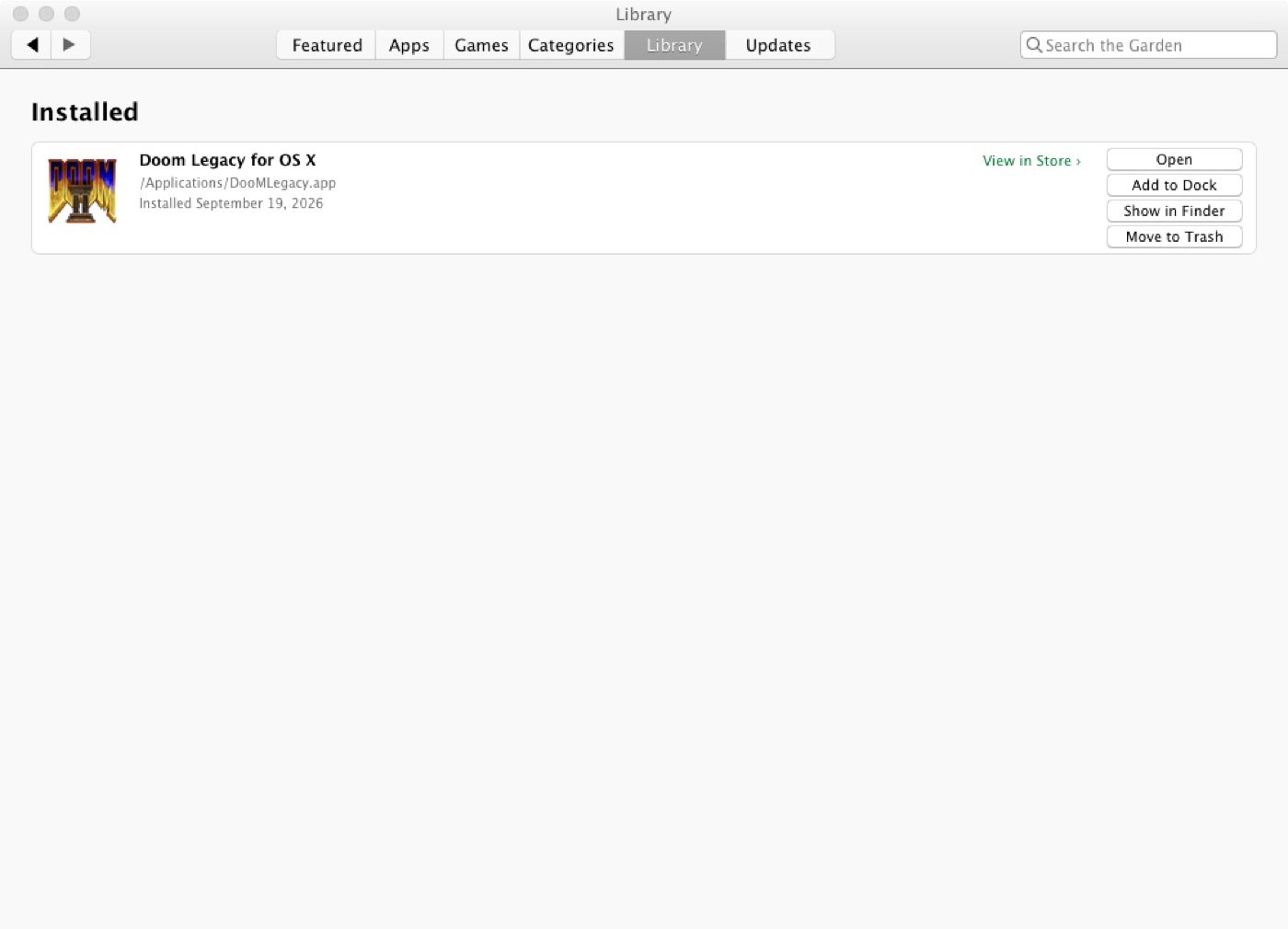
One button, start to finish
Press Get and it joins the queue. Download, MD5 check, then unpack — StuffIt, BinHex, MacBinary, Compact Pro, zip, all of them. Then it digs through what comes out, finds the program among the read-mes and updaters and installers, and puts it where it goes. Mac OS 9 software gets its own folder. Installer packages go to Installer. Five-floppy sets get mounted and put back together, which used to be an afternoon’s work.
Whatever lands shows up in your Library with its real icon. Open it, drag it to the Dock, show it in the Finder, or throw it out. It re-checks at launch so the list stays honest, and it spots newer versions and installs those too, with a count on the Dock icon that The Garden has to draw by hand because Tiger predates the API for it.
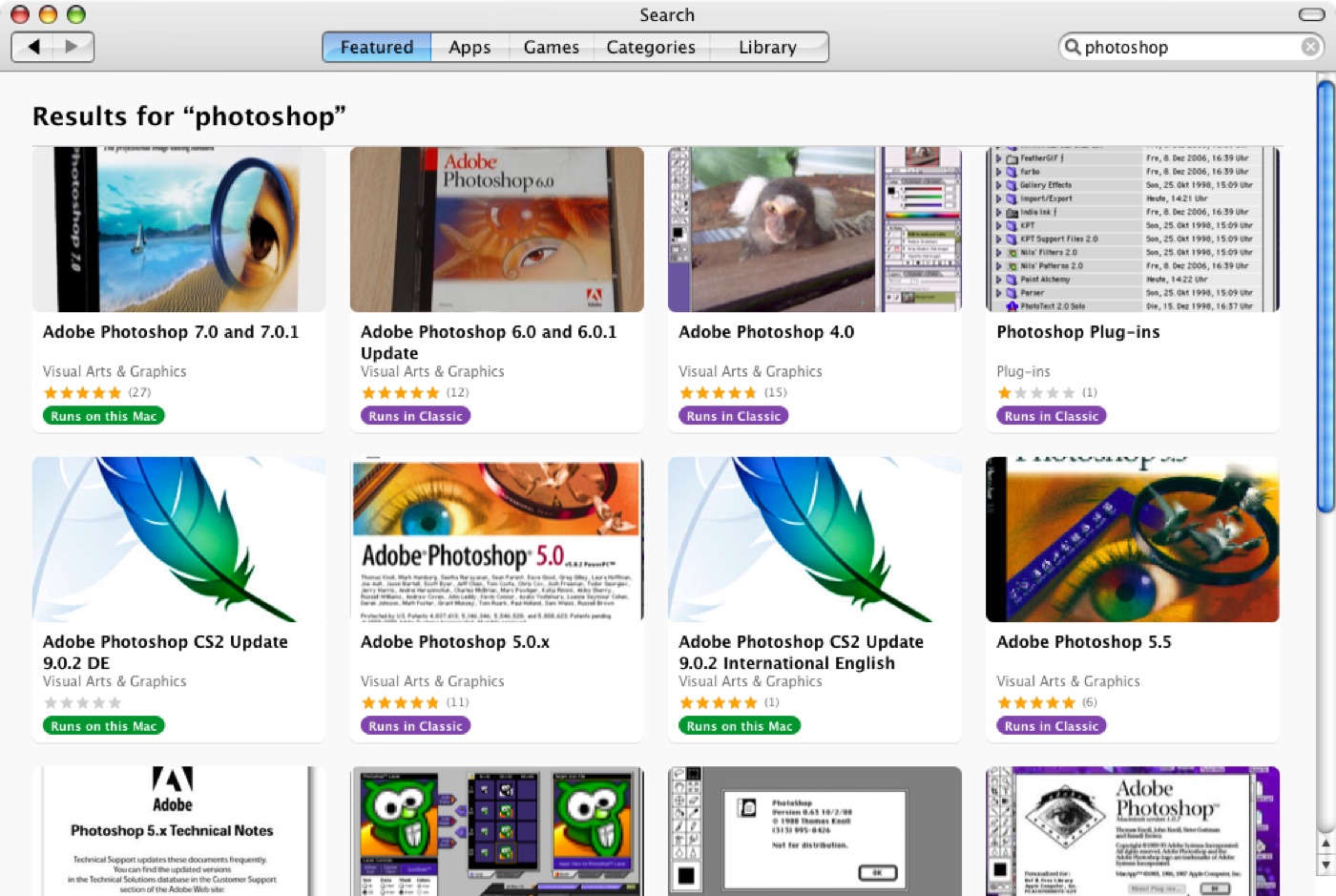
It can still reach the site
This is the bit that makes the rest possible. The TLS in Tiger and Leopard stops at 1.0, and the Macintosh Garden, like most of the web, stopped accepting that years ago. The browser on your Mac can’t open the front page at all any more.
So The Garden doesn’t use the system’s. It carries its own OpenSSL 3 and libcurl 8, statically linked, and does the handshake itself. No second Mac, no proxy, nothing to set up. It also only asks for the pages you open — no crawling a volunteer-run archive — and there’s a report window that shows you exactly what it’s about to send.
You could do all of this by hand in a browser. Here is what The Garden does instead.
| Doing it yourself | The Garden |
|---|---|
| Tiger’s browser cannot complete a handshake with the site any more, so you need a modern machine just to fetch the file. | Bundled TLS, so the old Mac talks to the site directly. |
| You find out whether something runs by downloading it and trying. | A badge on every download, worked out for the Mac you are on. |
| Unpack a StuffIt archive, work out which of nine files is the program, drag it somewhere sensible. | One button: download, verify, unpack, install, in the right place. |
| Nothing tells you a newer version exists. | Updates are spotted and installed, with a count on the Dock icon. |
| Nothing records what you already have. | A library with real icons, and one click to open or remove. |
| Every page is a fresh download over a slow link. | Pages are cached and revalidated, and still readable offline. |
- Mac
- Any PowerPC G3 or later, or any Intel Mac. One universal binary covers both
- System
- Mac OS X 10.4 Tiger or 10.5 Leopard
- Memory
- 256 MB is fine. It was built with small machines in mind
- Storage
- Whatever your installs need, plus a little for cached pages
- Internet
- Any connection. Modern TLS is bundled in, so there’s nothing to configure and no helper Mac required
- Plays well with
- Mac OS 9 for the oldest titles, and PowerEmu if you’d rather do all this on a modern Mac
- Version
- 0.3.7, alpha
- Price
- Free. MIT licensed
Reaching the site at all
- Bundled TLS. Every transfer runs through a statically linked libcurl 8 and OpenSSL 3. Tiger and Leopard’s own TLS stops at 1.0 and can no longer negotiate with the site, so the system stack is bypassed entirely.
- One thread, one curl multi handle. A thread per request costs too much on a 256 MB G3; a single handle reuses connections, DNS answers and TLS sessions.
- Persistent page cache with per-request TTLs (item pages 3 days, listings 6 h,
the feed 1 h), revalidated with
If-None-MatchandIf-Modified-Since, with offline fallback. - PowerEmu Web Accelerator client. Inside a virtual Mac it is found at
10.0.2.100:7780; on a real Mac over Bonjour with a pairing code. Pages and images go through it; downloads, form posts and the search token always go direct, so a file’s MD5 and the session are never in doubt. A Tiger G3 item page: 0.95 s direct, 0.20 s through PowerEmu — the difference is the TLS handshake. Absent, nothing changes. - A custom
NSURLProtocolputs the system WebKit on the same stack, so aWebViewcan reach the site on Tiger and shares the app’s cookies.
Store, install and library
- Featured (New & Noteworthy from
rss.xml), Apps and Games A–Z, Categories and Search. Item pages carry screenshots, the rating, reviews parsed from the site’s comments, and rows of More by author and Related. - Compatibility badges computed per download against the host: native, Rosetta, Classic, or unsupported.
- Install pipeline: MD5 verification, disk images via
hdiutil, archives through the bundled XADMaster (StuffIt, BinHex, MacBinary, Compact Pro, zip and the rest), applications to/Applications, Mac OS 9 software to Applications (Mac OS 9), packages handed to Installer. Multi-floppy sets, including headerless raw images viaCRawDiskImage, are mounted and copied out. - Launchable selection prefers the binary whose name matches the title and skips updaters, installers, read-mes and launchers; existing library entries are re-checked at launch.
- Updates compare version numbers when both file names carry one and upload dates
when neither does. The Dock icon is drawn by hand for progress and the badge, since Tiger
has no
NSDockTile.
Build
- Universal
ppc+i386, deployment target 10.4, built with Applegcc-4.0against the 10.4u SDK — Xcode 2.5 on Tiger or 3.1 on Leopard. PowerPC is-mcpu=G3 -mtune=G4; Intel is-march=prescott. - MIT licensed. XADMaster and UniversalDetector are the unmodified Universal builds from The Unarchiver 3.11.1, under the LGPL-2.1.
Shorter than the other two, and in order of size. The last one isn’t really mine to schedule.
- Interface work. A more modern layout — something closer to Golden Gates — with hero images and a front page that looks like somewhere you’d browse.
- Speed, and the WebKit side of it. The app leans on the system WebKit in places. Both that and general responsiveness have room to improve, especially on a G3.
- A real database behind it. Right now The Garden reads the site’s pages. A proper data source would be faster, kinder to the archive, and open up searching and filtering that scraping can’t do. That needs a conversation with whoever runs the Macintosh Garden — and I haven’t worked out how to reach them. If you know, please get in touch.
Want a say in the order?
This is roughly smallest job to biggest, which isn’t the same as most useful first. If you’d rather something moved up, donate at the producer level and say so — argue for something on the list, or for something that isn’t on it at all. I read all of them, and the people funding the work get the loudest voice in what order it happens.
Version 0.3.7, and rough in spots. Not affiliated with the Macintosh Garden — just a fan with a compiler.
Captain Polliwog
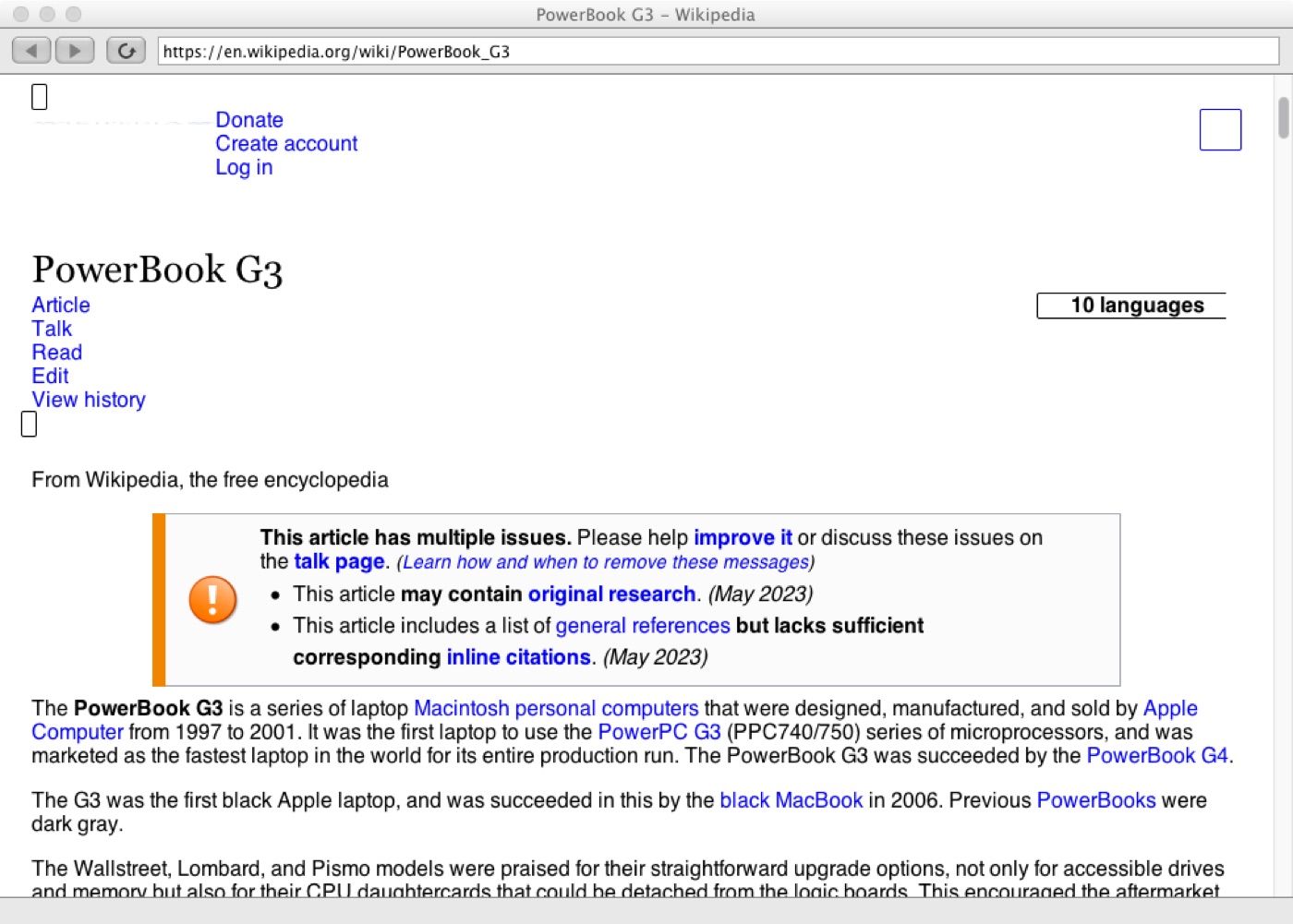
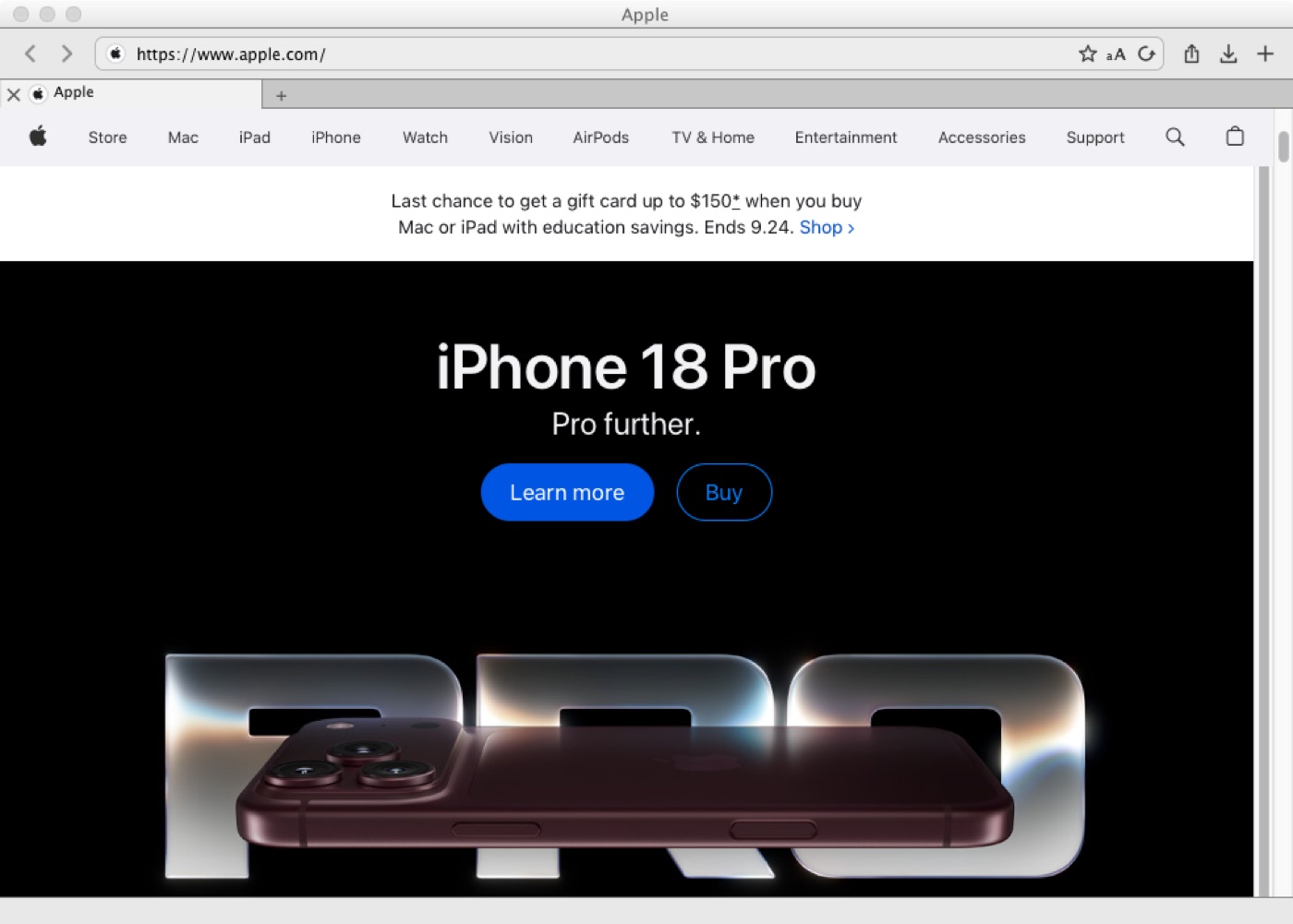
Two things stopped your old Mac loading websites: the encryption moved on, and so did the pages. Captain Polliwog replaces both. It brings its own OpenSSL 3 and libcurl 8, and it runs WebKit 604 — the engine out of Safari 11 — built from source for PowerPC, with the first JavaScript JIT this architecture has ever had. On a PowerBook G4 it scores 0.345 on Speedometer 3.1 against PowerFox 26.4’s 0.189 and wins eighteen of the twenty suites. Wikipedia loads on a 500MHz G3 in about 53MB. YouTube plays at 480p with sound. Apple.com renders.
It loads modern sites again
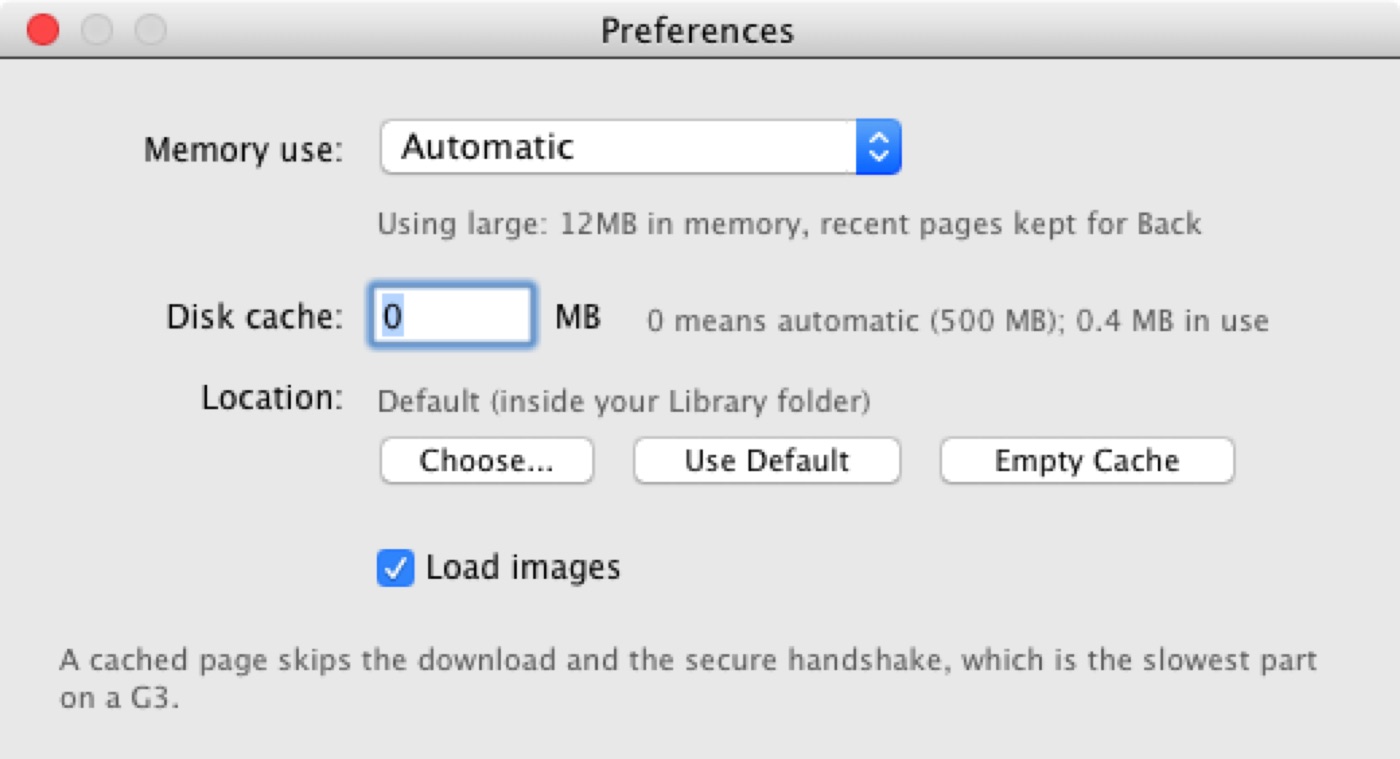
The TLS your Mac shipped with stops at 1.0, so Captain Polliwog carries its own: OpenSSL 3 and libcurl 8, statically linked, finishing handshakes the system gave up on. It fixes the waiting as well. Tiger tries a site’s IPv6 address first and sits there about fifteen seconds when the network hasn’t got any; libcurl just tries both at once.
Then there’s the engine. WebKit 604 is from Safari 11 in 2018, built from source
for PowerPC, and it brings a real JavaScript JIT — 1.5 to 3.5 times faster than the
interpreter it replaces. Flexbox and grid, :has(), modern JavaScript, WebGL,
web fonts: they all work. That adds up to 0.345 on Speedometer against PowerFox’s
0.189, and Wikipedia on a 500MHz G3 in about 53MB.
YouTube, handed to PowerVLC
Point at a video and a green button shows up on it. Press that and the stream goes to PowerVLC, which is the only build of VLC made for these processors. It comes up at around 30% CPU with h264 and aac both decoding and audio sync at 0 ms, and the copy in the page pauses so you’re not decoding the same video twice.
On a PowerBook G4 that’s a full-length video at a smooth 480p. The one-minute limit that used to cut playback short is gone. Polliwog checks what your processor can manage before it picks a stream, so a slower Mac gets something it can actually keep up with. VLC and MPlayer work too if that’s what you have.
The usual browser things
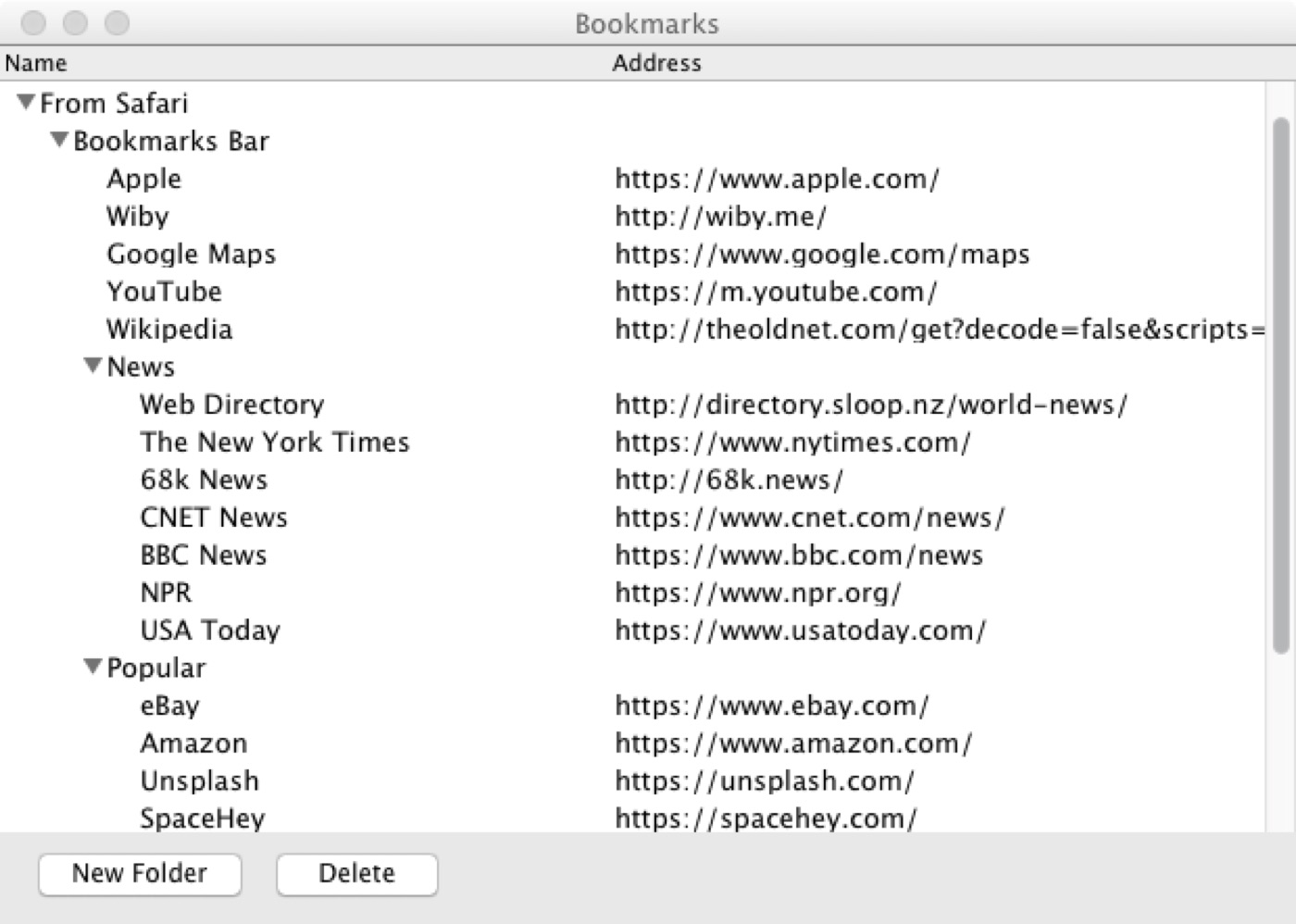
Tabs that give their pages back when memory gets tight and reload when you come back, so the tenth tab doesn’t push a 256MB machine into swap. A start page with Favorites and Top Sites. Reader, for when a page is mostly clutter. Bookmarks with folders, and it imports your Safari ones. Find on page, printing, saving, and the tab you closed by mistake.
Downloads resume where they stopped instead of starting again. Private browsing keeps no history or cache and drops its cookies when you close the window. AutoFill keeps passwords, addresses and cards in your Mac’s own keychain.
One row of chrome
Close, minimize and zoom sit on the same row as the back button, the address bar and the toolbar, the way Safari has done it since 15. One line at the top, then the page.
On a modern screen that’s tidy. On a PowerBook’s 1024×768 it’s a whole title bar’s worth of article you get to keep, on every page, all day.
Your Mac already has a browser, and there is a well-loved alternative in PowerFox. Here is where Captain Polliwog differs.
| The browser your Mac came with | Captain Polliwog |
|---|---|
| TLS stops at 1.0, so most sites refuse the connection outright. | Bundled OpenSSL 3 and libcurl 8. The handshake completes. |
| An engine from 2010: missing icons, broken layouts, scripts that fail. | WebKit 604, from 2018, built from source for PowerPC. |
| JavaScript runs in an interpreter, because PowerPC never had a JIT. | A PowerPC baseline JIT, 1.5–3.5× the interpreter. |
| Slower than PowerFox on most of Speedometer. | 0.345 against PowerFox’s 0.189, winning 18 suites of 20. |
| Ten tabs and the machine starts swapping. | Background tabs release their pages and reload on return. |
| Video is a still frame and a spinning beachball. | Handed to VLC or MPlayer, which can decode it. |
| IPv6 lookups stall about fifteen seconds on networks without it. | Both families tried at once, so the page just starts. |
- Mac
- Any PowerPC G3 or later, or any Intel Mac. One universal binary covers both
- System
- Mac OS X 10.4 Tiger or 10.5 Leopard
- Memory
- 256 MB will run it — current Wikipedia loads on a 500 MHz G3 in about 53 MB. A gigabyte makes a real difference once you open a few tabs
- Storage
- Room for the app and its page cache
- Internet
- Any connection. TLS is built in, so there’s nothing to set up
- For video
- PowerVLC, the only VLC built for these processors; VLC and MPlayer work as fallbacks. Streams are resolved per processor rather than one setting for every Mac, and decode h264 and aac at around 30% CPU with audio sync measured at 0 ms
- Downloads
- Resumable — a transfer that stops picks up at the byte it stopped on rather than starting the file again
- Lite mode
- “Run scripts sparingly” in Preferences, off by default. Third-party scripts are refused and nothing runs for more than three seconds instead of fifteen
- Time Machine
- A clock beside the address bar. Pick a date and the page reloads as the Internet Archive held it then, without the archive’s banner
- Plays well with
- PowerEmu, if you’d rather browse from a virtual Mac
- Version
- 0.3.4, alpha
- Price
- Free. MPL 2.0
Networking
- Its own TLS. Every request goes through a bundled OpenSSL 3.5, libcurl 8.22 and zlib. The system stack stops at TLS 1.0 and cannot reach most sites any more.
- Plain HTTP goes the same way. Tiger and Leopard try a site’s IPv6 address first and wait about fifteen seconds for it to fail on networks without IPv6; libcurl tries both at once.
- One thread through a single curl multi handle, browser-level connection limits, and a disk cache that lets a repeat visit skip the network entirely.
- PowerEmu Web Accelerator client, for when it runs inside a virtual Mac.
- Current Wikipedia and DuckDuckGo load on a 500 MHz PowerBook G3 with 256 MB of RAM, in about 53 MB of memory.
The engine
- WebKit 604.5.7 — Safari 11, 2018 — built from source for PowerPC. Cross-compiled on an Apple silicon Mac in a Linux VM with a PowerPC toolchain (about 40 minutes from clean) and packaged as frameworks the browser loads, following Leopard WebKit’s structure. Built through WebKit’s CMake Mac port rather than the Xcode projects Apple used.
- It has to be a fork. Upstream WebKit removed big-endian support on August 1, 2026 (commit 232cebab), so no future WebKit will ever compile for a PowerPC Mac. This one is frozen on a branch with fixes carried back by hand.
Speed
- A PowerPC baseline JIT for JavaScriptCore — something it has never had. An
offlineasm PowerPC backend runs the LLInt as native code, with a new assembler and macro
assembler for the JIT, and the big-endian work that goes with it:
EncodedJSValuereturned tag-first from C but payload-first from JS, tag-first JSValue arguments, call frame payloads at +4, and byte-reversed loads for typed arrays. 1.5–3.5× the interpreter on micro-benchmarks. - Layout that doesn’t redo itself.
RenderLayer::updateLayerPositionsused to walk every layer in the page after every layout. EachRenderElementnow carries a four-bit generation number in spare bitfield room, marked up the ancestor chain by anything that moved and expiring on its own as the view advances the generation; the walk skips subtrees that didn’t change. Checked pixel for pixel against a full re-render viaCGWindowListCreateImage. TodoMVC-Svelte-Complex-DOM: 3532 ms → 1277 ms. - Speedometer 3.1 on a PowerBook G4: 0.259 → 0.345, against PowerFox 26.4’s 0.189. Eighteen of twenty suites now beat PowerFox; the two left are Charts-chartjs (Core Graphics path rasterization) and TodoMVC-ES5 (relayout boundaries).
What it supports
- Platform: flexbox and grid with
gap,:has(),:focus-visible, unprefixedposition: sticky, cascade layers, range media queries,:is()/:where(), logical properties, constructable style sheets; ES2017+ — classes and private members, async/await, generators and async generators, modules and import maps, BigInt; fetch, Web Timing, WebGL through ANGLE, WOFF2 via OTS, and full ICU with all 683 locales. - The browser’s own code is under the MPL 2.0.
In order of how much work each one is, smallest first. The last two are projects in their own right.
- Bookmarks in and out as HTML. The standard bookmarks file every other browser reads and writes.
- RSS feeds. Subscribe to a feed and read it in the browser.
- Session restore. Quit with ten tabs open, come back to ten tabs.
- Downloads that survive a quit. Pausing and resuming already works from the partial file. Carrying a half-finished download across a restart doesn’t, yet.
- DNS over HTTPS. Encrypted name lookups, which these systems have no notion of.
- Faster decoding for big images. A large photo costs a G4 real time. There’s room to claw some of it back.
- WebP, and newer image plugins. WebP is everywhere now and nothing on these systems can read it, so a decoder has to come along with the browser.
- Web Inspector. Harder than it sounds: the remote inspector wants libdispatch, which arrived in 10.6, so it is switched off in this build. Getting it back means working around that.
- MSE. Media Source Extensions, which is what modern video players expect. Months of work and the one I’m least sure about — the honest answer today is to hand video to PowerVLC instead.
Want a say in the order?
This is roughly smallest job to biggest, which isn’t the same as most useful first. If you’d rather something moved up, donate at the producer level and say so — argue for something on the list, or for something that isn’t on it at all. I read all of them, and the people funding the work get the loudest voice in what order it happens.
Version 0.3.4. Still early, rough in places, and improving most weeks.
About
Cytrus Software is one person making small, honest software with a taste for the old ways — hand-built tools in the spirit of the early web. Quiet, durable, and a little bit strange.
No trackers, no newsletters, no upsells. Just software that does a thing and then gets out of the way.
If you want to say hello, you can reach me at adam.cipoletti@me.com.
Support
All three of these are free and open source, and they’ll stay that way. There’s no paid tier, no license key, and nothing here is counting you. Everything below is optional.
Give what you like
Venmo carries your note with the payment. PayPal can only carry the amount, so if you’ve written something, send it with Just send the note as well.
Or donate a vintage Mac
All three of these are built against real hardware, and the range I can test on is whatever is on my desk. If you have a PowerPC Mac gathering dust — a G3, G4 or G5, laptop or desktop, working or nearly — it would go straight into testing. I’ll pay the shipping.
Don’t ship anything before we’ve talked — I’ll cover the label and make sure it’s worth the trip first. A heavy tower coming a long way sometimes isn’t, and I’d rather tell you than leave you out of pocket. Machines that don’t boot are still interesting; say so and we’ll figure it out.
No tier buys support or a deadline — this is one person and a compiler. An email telling me you got something working is worth just as much as any of it.